Juan Soto

About Juan Soto

Juan Soto is the President of IT Impact Inc., a Microsoft Access MVP for 14 consecutive years, and a database and AI consultant with over 32 years of experience. He specializes in Microsoft Access with SQL Server backends, helping businesses of all sizes design secure, stable, and scalable data environments. As AI tools continue to reshape the business landscape, Juan has expanded his expertise to help small businesses harness the power of artificial intelligence — from practical automation to smarter decision-making — making cutting-edge technology accessible without the enterprise price tag. A recognized voice in the Microsoft Access and AI communities, Juan is a frequent speaker at user groups and tech conferences nationwide and a sought-after podcast guest. He enjoys sharing practical insights on database architecture, AI integration, and modern business solutions with audiences of all technical levels. If you’d like Juan to speak at your next event, user group, or podcast, you can reach him here.

jsoto@itimpact.com

Help us Get The IDE Modernized in MS Access – Your Vote Counts!

Help us Get The IDE Modernized in MS Access - Your Vote Counts! After my Access with SQL Server meeting were we talked about using User Voice to prompt change to our beloved IDE, I found out that the Access team does not have any sway over the environment, it's handled by the another group in the Of [...]

2021-06-11T06:16:25-05:00April 8th, 2018|

It’s Time We Gave the Microsoft Access IDE Some Love

It’s Time We Gave the Microsoft Access IDE Some Love Quick: when  was the last time the Access Integrated Development Enviroment  (IDE) got a new feature? I can’t remember. While Access in general has gotten love from the Access team, in particular the new data connectors, its time we add SOME kind [...]

2021-11-23T07:39:09-06:00February 4th, 2018|

Inspect the Control Source of All Controls in Your MS Access Project

Inspect the Control Source of All Controls in Your MS Access Project Happy New Year! Recently I was working on a project where I was implementing form spawning so that my client can see at least two different records using two identical forms, one of the actual forms and the other one a spawned vers [...]

2021-06-11T07:10:50-05:00January 8th, 2018|

Join Me at the PAUG Database Designer Conference

Join Me at the PAUG Database Designer Conference On Sunday - April 29, 2018 -, between 1:00 PM and 2:00 PM, I will be speaking at the annual PAUG Conference. Registration is open. Register now! Hurry, seats are limited & quickly sell out! This year promises to be the best! The dates for the PAUG [...]

2021-06-11T07:13:07-05:00January 3rd, 2018|

Microsoft OLE DB Undeprecated! Long Live ADO!

Microsoft OLE DB Undeprecated! Long Live ADO! The Microsoft SQLNCli team has undeprecated OLE DB and the news could very well be earth shattering for the Microsoft Access community. Previously deprecated and last supported with SQL Client 11, OLE DB was on it's last breaths, and what was worse, we c [...]

2021-06-11T07:14:18-05:00October 16th, 2017|

Our Microsoft Ignite Session Recording is Now Available to View!

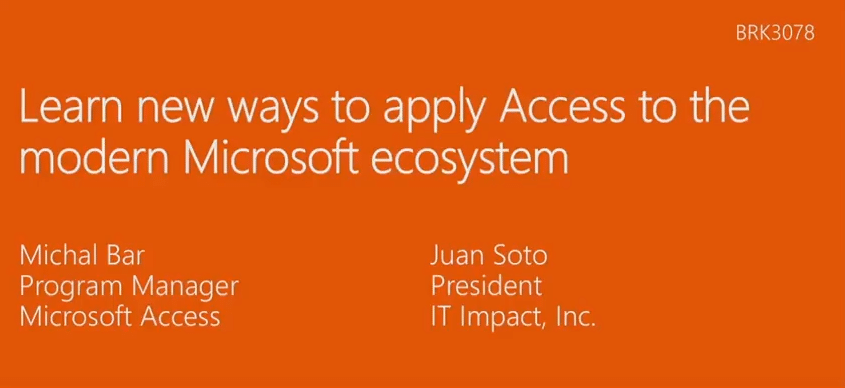
Our Microsoft Ignite Session Recording is Now Available to View! Hello everyone! I just got back from Microsoft Ignite, where Michal Bar and I had a wonderful time presenting on "Learn new ways to apply Access to the modern Microsoft ecosystem". We discussed a few great topics, one of which is how t [...]

2021-06-11T07:14:51-05:00October 3rd, 2017|

Meet Michal Bar and Me at Microsoft Ignite!

Meet Michal Bar and Me at Microsoft Ignite! This week Microsoft has invited me to speak at Microsoft Ignite along with Michal Bar from the Microsoft Access team! I'll be in Orlando all week learning about new technologies and on Wednesday afternoon present on how to plug Access into the modern Micro [...]

2021-06-11T07:15:45-05:00September 25th, 2017|

Updates From the Microsoft Access Team (June 2017)

Updates From the Microsoft Access Team (June 2017) New data connectors Announcement blog post on the Access blog. It has also been twitted here - feel free to retweet it! New in Microsoft Access: Microsoft Dynamics and Salesforce connectors. Learn more: https://t.co/NesijpM5uG — MS Office News (@Off [...]

2022-01-07T08:58:35-06:00September 7th, 2017|

Drag and Drop In MS Access and Conditional Sorting

Drag and Drop In MS Access and Conditional Sorting Drag and Drop In MS Access Doug was on a roll in January of 2004 when he wrote his article on drag and drop in MS Access. He tested it now using Access 2016 and it still works. This article shows you how to add drag-and-drop to your Access applicati [...]

2025-05-24T19:04:05-05:00August 11th, 2017|

Official Microsoft Access Tech Blog is Now Online!

Official Microsoft Access Tech Blog is Now Online! Official Microsoft Access Tech Blog Launches! In addition to the blog on the Office site, the Access team has started a technical blog here. The new Access Tech Blog will be more technical in nature and oriented towards technical users instead of re [...]

2021-06-11T07:26:42-05:00July 11th, 2017|

Learn How to Spawn Forms in Memory (Yes, You Heard That Right)

Learn How to Spawn Forms in Memory (Yes, You Heard That Right) Hi Everyone! This Tuesday I’m going to demo an amazing concept: How to spawn multiple copies of the same form in memory. Have you ever wanted to display multiple orders or invoices in your databases in separate forms using the same form [...]

2021-06-11T07:29:45-05:00April 10th, 2017|
Go to Top